
Part of your desktop.
Find VPFL in your application menu, open supported videos from your file manager, and choose it as your default player when you want to.
Meet VPFL, a modern video player designed to make watching videos on Linux straightforward from the very first launch.
Enjoy a clean, intuitive interface, easy-to-access playback controls, and a personal video library that makes finding and returning to your videos simple.

01 / THE PLAYER
WATCH YOUR WAY
Watching a video should feel effortless.
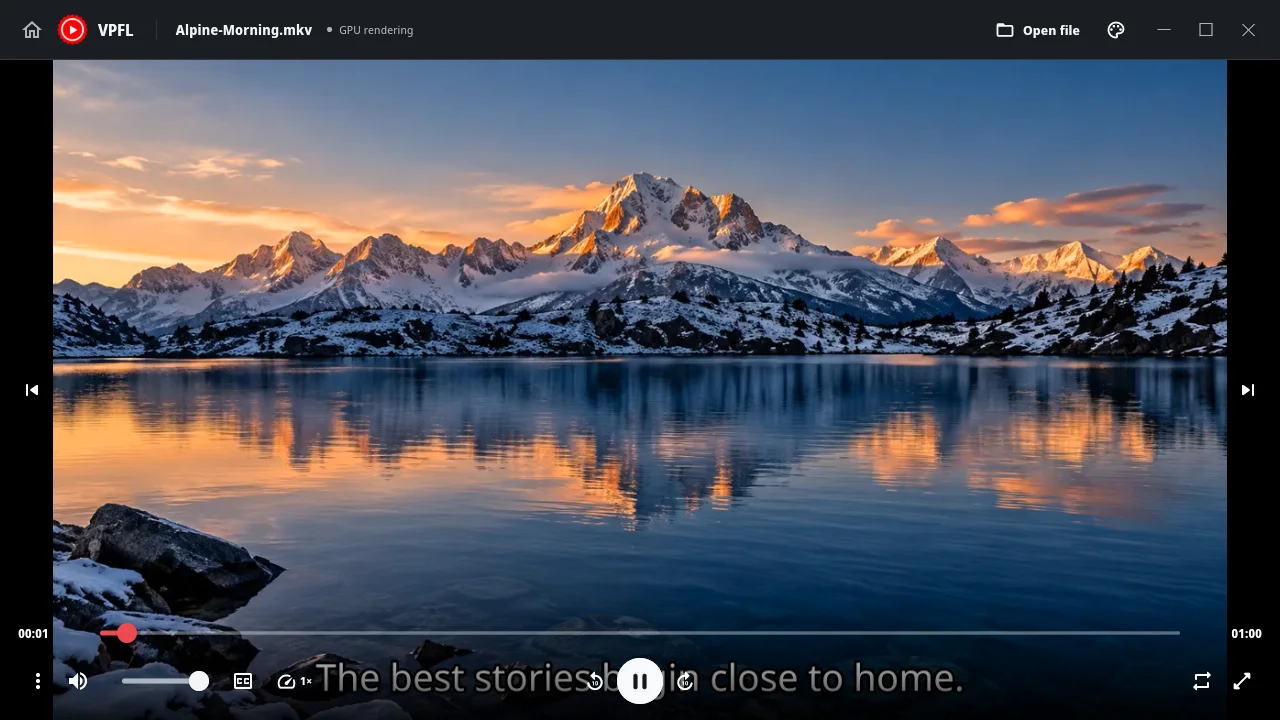
Play, pause, adjust the volume, skip forward or backward, change playback speed, select subtitles, and go fullscreen with controls that are easy to find and understand.
VPFL brings the features you use most into a clean, thoughtfully designed interface, so you can enjoy your videos without unnecessary steps.
02 / YOUR VIDEO LIBRARY
YOUR VIDEOS, YOUR WAY
Your videos stay on your computer, organized the way you want.
VPFL makes it easy to return to recently watched videos, remember your favourite folders, and browse your collection from one convenient place.
Recently played videos appear on Home. Open one again and continue from your saved position.
Choose folders for VPFL to remember, then browse with thumbnails and filenames that make your collection easy to explore.
Open a supported video and start watching. Sensible defaults get you going; controls and settings remain within reach.
Thoughtfully designed, from the first play.
You choose what to watch. VPFL handles the everyday playback details.
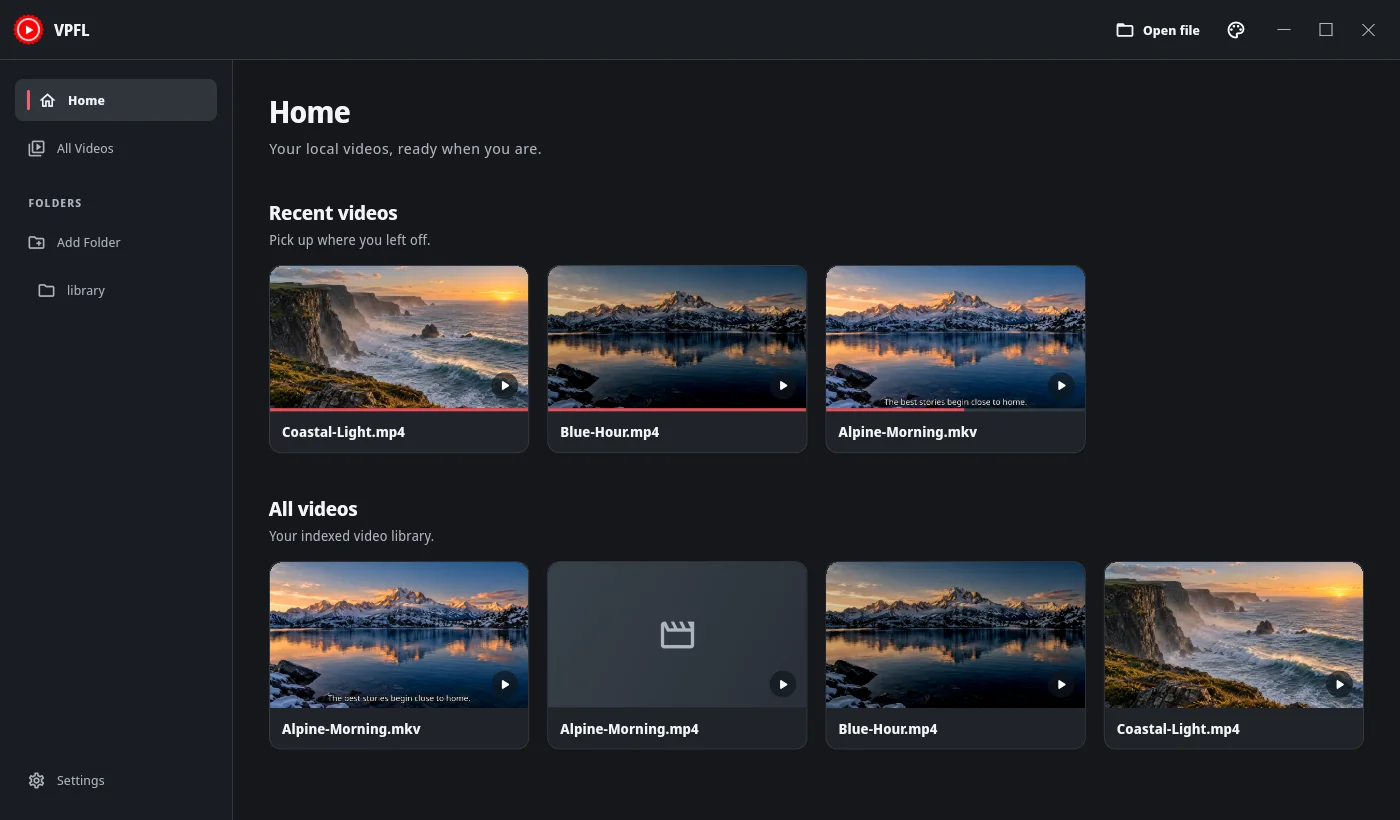
HOME & RECENT VIDEOS / ACTUAL VPFL APPLICATION
03 / BUILT FOR THE DESKTOP
AT HOME ON YOUR DESKTOP
VPFL is built to work naturally with your Linux desktop, from installation to everyday playback.
Find VPFL in your application menu, open supported videos from your file manager, and choose it as your default player when you want to.
Open a video inside VPFL, launch it from your desktop, or start playback from the terminal.
Choose the package built for your system, with DEB, RPM, and Arch options for their tested targets.
vpfl ~/Videos/movie.mkvA properly installed package makes the command available without manual PATH setup.
libmpv and underlying FFmpeg libraries support playback. GPU rendering is available on compatible setups, with software rendering as a fallback.
GPU rendering describes video presentation, not hardware video decoding. Distribution and graphics compatibility continue to be tested; package targets and known limits are documented in the project.
Read compatibility notes ↗04 / CHOOSE YOUR FLAVOUR
LINUX PACKAGES
Choose the package that fits your Linux distribution.
Direct downloads appear here when a verified public release is available. Check GitHub Releases for current files.
For the Debian family.
Ubuntu 24.04 · Linux Mint 22.x
NO VERIFIED ASSET
Download DEB Available when a release is publishedFor the Fedora family.
Fedora 44 · desktop validation pending
NO VERIFIED ASSET
Download RPM Available when a release is publishedFor Arch Linux.
Arch Linux · x86_64 package
NO VERIFIED ASSET
Download Arch package Available when a release is published05 / OPEN SOURCE
VPFL is free and open-source software licensed under Apache License 2.0. Use it, explore the code, make improvements, report issues, or contribute to its development.
Commercial use is welcome under the license.